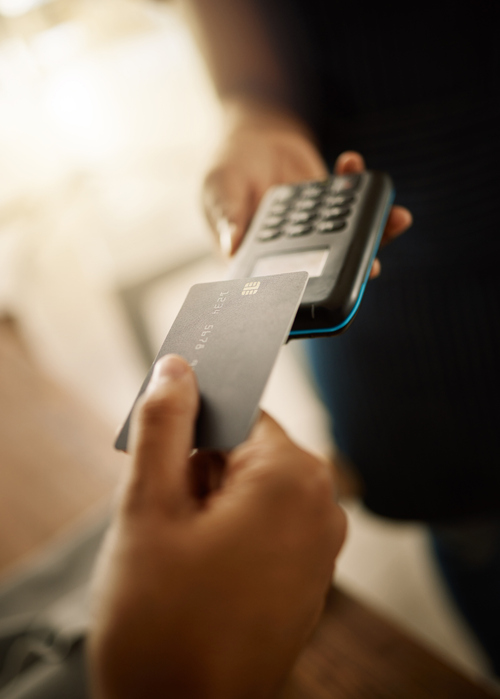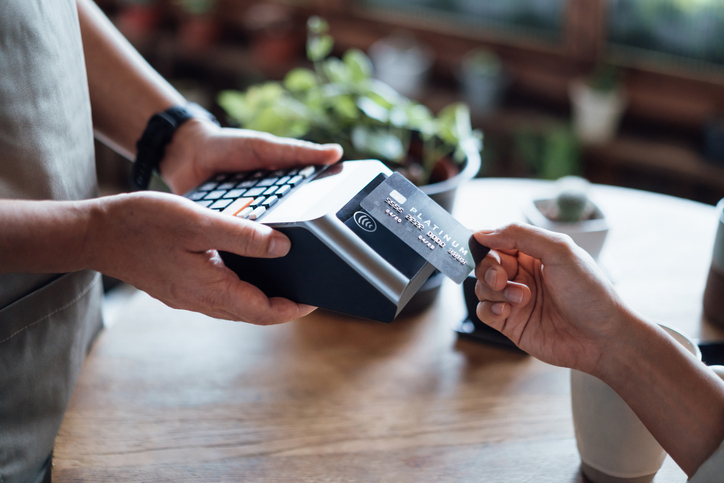
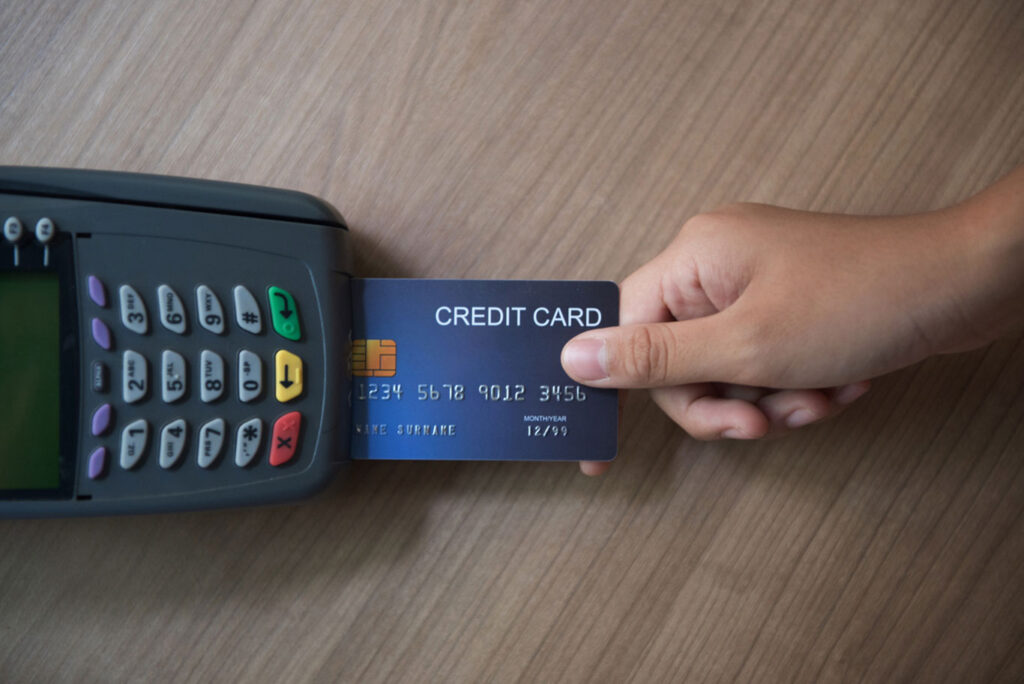
A card machine not working during trading hours can cause immediate difficulties for small businesses. Customers may be unable to complete purchases, queues can develop and employees may be unsure whether a transaction has failed or simply taken longer than expected.
For a café during its lunchtime rush, a retailer on a busy Saturday or a tradesperson collecting payment after completing a job, even a short interruption can become frustrating.
Fortunately, many card payment problems can be investigated through a few straightforward checks.
If your card machine stops working, first check its power, connection and error message. Before retrying a failed payment, confirm whether the original transaction was authorised. If the problem continues, contact your payment provider and use an approved alternative payment method.
The correct response depends on what has caused the failure. Some problems involve the terminal itself, while others originate from the internet connection, payment processor or customer’s card.
Understanding the difference can help businesses restore normal service without creating additional payment complications.
What should you check first when a card machine stops working?
When a terminal fails during a transaction, the immediate priority is identifying whether the problem is temporary or requires technical assistance.
An error message does not automatically mean the equipment is broken.
For example, a terminal might be functioning normally but unable to communicate with the payment processor because the internet connection has dropped.
Alternatively, the device might be connected correctly but experiencing a software problem.
A simple initial troubleshooting process can help narrow down the cause.
Quick card machine troubleshooting checklist
0 of 6 checks completedResetCheck the screen for an error message or warningConfirm that the terminal has power or enough battery chargeCheck Wi-Fi, mobile data or Ethernet connectivity as appropriateCheck the previous transaction status before attempting payment againRestart the terminal only where supported by the manufacturer’s instructionsContact your payment provider if normal operation does not return
These checks can resolve straightforward problems without requiring extensive technical knowledge.
However, staff should avoid changing unfamiliar payment settings or performing factory resets without guidance.
Incorrect configuration changes could make the problem more difficult to resolve.
Why do card payment machines lose their connection?
Connectivity problems are among the possible causes of payment interruptions.
Modern card terminals typically communicate with payment processing systems through Wi-Fi, mobile data, Ethernet or another supported connection.
If that connection becomes unavailable, the terminal may be unable to obtain transaction authorisation.
Problems with Wi-Fi connections
A card machine using Wi-Fi depends on a suitable wireless network.
If the business’s router loses its internet connection, the terminal may no longer be able to communicate with the payment processor.
However, Wi-Fi problems can also occur when broadband remains available.
For example, a terminal positioned in an outdoor seating area might receive a weak wireless signal even though devices near the main router work normally.
A café could therefore experience card payment problems on its terrace while its main counter terminal continues operating.
In this situation, moving the terminal closer to the router may help establish whether weak Wi-Fi coverage is contributing.
Businesses should also check whether other devices can access the internet.
If several devices have lost connectivity simultaneously, the issue may involve the wider network rather than the payment terminal.
Problems with mobile data connections
Portable terminals often use mobile data, particularly when operating away from fixed premises.
A market trader might rely on a 4G connection throughout the trading day.
However, mobile coverage can vary depending on location, network conditions and the surrounding environment.
For example, a terminal that works reliably at one market may struggle at another.
Temporary events can also create challenging network conditions when large numbers of people are using mobile services nearby.
Where a terminal supports alternative connection methods, switching to an approved available connection may help.
However, businesses should not assume every terminal automatically changes between mobile data and Wi-Fi.
The available options depend on the device, configuration and payment provider.
What if the internet works but card payments still fail?
A functioning internet connection does not guarantee that payment processing is available.
There may be an interruption involving the provider’s payment platform, acquiring services or another part of the transaction network.
For example, a retailer might find that its broadband works normally and its terminal connects successfully, but transactions continue to return communication errors.
In this situation, repeatedly restarting equipment may not resolve the underlying problem.
The retailer should contact its payment provider or check an official service status facility, where available.
Technical support can help establish whether other merchants are experiencing a similar issue.
What happens if a card machine freezes or becomes unresponsive?
A terminal may occasionally stop responding to staff input.
The screen might freeze, an application may close unexpectedly or the device could become unusually slow.
These symptoms can have several causes, including temporary software problems or insufficient available resources.
If the terminal remains powered on but does not respond, a restart may be appropriate.
However, the correct procedure varies by manufacturer.
Businesses should follow their terminal’s operating instructions rather than attempting unfamiliar button combinations or resetting the device to factory settings.
Can restarting a card machine cause problems?
A normal supported restart may resolve a temporary software issue.
However, restarting during an active transaction can create uncertainty about whether the payment was authorised.
For example, imagine a customer paying £75 for a purchase.
The terminal displays a processing message before becoming unresponsive.
The customer has already presented their card, but the machine does not display a clear approval or decline.
In this situation, the retailer should not immediately assume the transaction failed.
The payment may have been authorised even though the confirmation did not appear.
Before attempting another payment, staff should check the transaction status through the approved terminal history, reporting system or payment provider.
This reduces the risk of accidentally charging the customer twice.
What should you do if a customer has been charged but the terminal shows an error?
This is one of the most important situations for businesses to handle carefully.
A terminal error and a customer’s banking notification do not necessarily provide a complete picture of the transaction.
The customer may receive a notification indicating that a payment has been authorised, while the merchant terminal has not displayed confirmation.
Alternatively, the customer’s bank may show a pending authorisation that is later reversed or released.
The retailer needs to establish what actually happened before deciding how to proceed.
What is the difference between an authorised and settled payment?
When a card payment is authorised, the card issuer agrees to the transaction under the applicable payment arrangements.
However, authorisation does not necessarily mean the funds have already reached the merchant’s bank account.
Settlement takes place through the processing arrangements that transfer payment proceeds to the business.
A transaction can therefore appear as pending in a customer’s banking application before settlement occurs.
The timing depends on the issuer, merchant provider and transaction circumstances.
How should staff handle an uncertain payment?
Consider an illustrative situation involving a customer buying £120 of clothing.
The terminal displays a communication error, but the customer’s phone shows a £120 payment notification.
The shop assistant cannot immediately establish whether the payment completed successfully.
The appropriate response is to check the payment provider’s transaction records before requesting another payment.
If the transaction cannot be verified locally, staff should contact the payment provider for assistance.
They should record appropriate transaction details, such as the time, amount and available reference number, without collecting unnecessary sensitive card information.
If the provider confirms that no successful payment exists, the business can follow the approved process for attempting payment again.
If payment was successful, there is no reason to collect the amount a second time.
This approach protects both the customer and the retailer from avoidable disputes.
Can a business continue taking payments when its card machine is down?
Potentially, depending on the payment facilities available.
A terminal failure does not always mean the business must stop accepting every form of payment.
However, alternative methods need to be appropriate, secure and already supported by the business.
The safest arrangements are generally those established before an outage occurs.
Accepting cash payments
Cash can provide a straightforward alternative when electronic card payments are unavailable.
For example, a café experiencing a temporary terminal failure may continue accepting cash if it normally maintains suitable cash-handling facilities.
However, not every customer carries cash.
A business that primarily accepts electronic payments may also lack sufficient change or secure cash storage arrangements.
Cash can therefore be useful as a backup, but it may not be adequate on its own.
Using an alternative card terminal
Businesses operating more than one terminal may be able to continue trading through another device.
For example, a restaurant with two portable terminals might use the remaining machine while the faulty terminal is investigated.
However, this only helps when the problem is specific to one device.
If the wider payment processor is unavailable, both machines may be affected.
Likewise, two terminals connected to the same failed Wi-Fi network may experience the same problem.
A second terminal provides greater resilience when it can operate independently of the cause of the original failure.
Accepting bank transfers
Some businesses may be able to accept bank transfers as an alternative.
For example, a tradesperson completing a job at a customer’s home might provide verified business bank details and request payment through the customer’s banking application.
However, bank transfers are not always practical for busy retail environments.
They may require customers to enter account information manually, and staff must verify that payment has genuinely been received.
A screenshot of a transfer confirmation should not automatically be treated as proof that funds have arrived.
Businesses should check payment receipt through their own banking arrangements before releasing goods where confirmation is necessary.
Using an approved remote payment facility
Some payment providers offer online payment gateways or other approved remote payment methods.
Where these are already configured, they may provide an alternative way to accept certain payments.
For example, a business might have a secure online checkout available independently of its physical terminal.
However, not every merchant account includes remote payment facilities.
A business should not assume it can manually enter card information into an unrelated system simply because its physical terminal is unavailable.
The correct method depends on the payment provider’s approved arrangements.
Why should businesses avoid writing down customers’ card details?
When payment technology stops working, staff may be tempted to record card details and process transactions later.
This creates unnecessary security risks.
Payment card information is sensitive, and its collection, storage and processing are subject to payment security requirements.
Writing complete card numbers in notebooks, storing them in ordinary spreadsheets or collecting security codes for later use can expose customers and businesses to serious problems.
The PCI Security Standards Council recommends minimising the amount of payment card information merchants retain and using specialist payment services rather than unnecessary local storage.
blog.pcisecuritystandards.org
+1
For example, a retailer should not ask customers to leave their complete card details on a piece of paper so employees can charge them after the connection returns.
Even if the intention is simply to complete a sale, this can create avoidable exposure of sensitive information and may breach payment processing requirements.
Businesses should use an appropriately approved alternative payment method or defer the transaction until secure facilities are available.
Can card machines process offline payments?
Some payment systems support offline payment functionality under specific conditions.
However, this depends on the device, provider and merchant configuration.
Offline transactions can introduce additional risks because payment authorisation may not occur immediately.
For example, a transaction accepted offline could subsequently be declined when submitted for processing.
The business may then have supplied goods or services without receiving payment.
Offline payment facilities should therefore only be used where specifically supported and approved by the payment provider.
Businesses must understand any transaction limits, financial liability and operational requirements before relying on this functionality.
A terminal supporting mobile data or Wi-Fi should not automatically be assumed to offer offline processing.
When should you contact your card payment provider?
If basic troubleshooting fails, the next step is to contact the payment provider.
Some technical problems can be resolved remotely, while others may require changes to the terminal configuration or replacement equipment.
The provider may also be able to confirm whether a wider processing outage is affecting multiple businesses.
What information should you provide?
Giving the support team clear information can make diagnosing the problem easier.
Useful details include:
- The make and model of the affected terminal.
- The exact error message displayed.
- Whether the terminal uses Wi-Fi, mobile data or a wired connection.
- Whether other terminals are working.
- When the problem first occurred.
- Whether any transactions have an uncertain status.
- Which troubleshooting steps have already been attempted.
For example, saying that a PAX A920 Pro displays a communication error on Wi-Fi while other internet-connected devices remain operational is more useful than simply reporting that the card machine is broken.
It helps the provider narrow down potential causes.
Businesses should also be cautious about unsolicited calls from people claiming to provide technical support.
Sensitive account credentials, payment security information and remote access permissions should only be provided through established, verified support procedures.
What technical support does Gorilla Pay provide?
Gorilla Pay provides UK-based technical support and customer care for its payment solutions.
Its published services include assistance with terminal setup, troubleshooting and payment-related security questions.
Gorilla Pay
For businesses using Gorilla Pay’s equipment, contacting the support team is the appropriate next step when normal troubleshooting does not restore service.
Businesses can also discuss their payment arrangements before problems occur, particularly if they require dependable payment acceptance during extended trading periods.
However, specific support hours, replacement arrangements and response times should be confirmed rather than assumed.
What should you do if a card machine stops working during a busy period?
A payment failure during quiet trading hours can be inconvenient.
During a busy period, the same problem may create operational difficulties for both staff and customers.
Consider a restaurant where several tables are ready to pay at the end of an evening service.
If the only portable terminal stops working, employees may need to explain the situation to several customers simultaneously.
Without an established procedure, different employees might make different decisions about how to collect payment.
One might request a bank transfer while another repeatedly attempts transactions on the faulty terminal.
This can create confusion and increase the likelihood of mistakes.
How should staff manage the situation?
A sensible response involves assigning responsibility for investigating the fault while other employees continue serving customers.
For example, a supervisor could contact the payment provider while another employee explains the available payment alternatives to customers.
Staff should avoid repeatedly attempting transactions when their status is unclear.
They should also make sure that any approved alternative payment process is understood by everyone involved.
Clear communication is especially important when customers have already attempted payment.
A customer who has received a banking notification may understandably be reluctant to pay again without an explanation.
Checking transaction records and explaining the outcome helps maintain confidence.
What if customers cannot use another payment method?
Sometimes a customer may have no cash and the business may have no alternative electronic payment facility.
In this situation, the available options depend on the business’s policies and circumstances.
For example, a restaurant might agree to an alternative settlement arrangement where appropriate.
A retailer selling expensive goods may prefer to retain the products until payment can be completed.
There is no single solution suitable for every business.
The important point is to establish a policy in advance so employees know how to respond consistently.
Could a faulty card machine result in lost sales?
Yes, particularly where customers are unable or unwilling to use another payment method.
However, the financial impact depends on transaction values, the length of the interruption and the availability of alternatives.
For example, imagine an independent shop normally processes £600 in card sales during a two-hour period.
If its payment facilities become unavailable for those two hours, some purchases may be delayed or abandoned.
However, it would be inaccurate to assume that the entire £600 is automatically lost.
Some customers may pay using cash, return later or complete their purchases through another approved method.
The actual loss depends on how customers respond.
How can businesses estimate the commercial impact?
Retailers can use their own transaction reports to understand how dependent they are on card payments.
For example, a café might discover that 85% of its transactions are normally completed electronically.
That would indicate that a terminal failure could have a significant operational impact.
A business processing only a small number of card payments each week might face less immediate disruption.
This information can help determine whether investing in additional resilience is worthwhile.
The objective is not to assume every business needs multiple terminals.
It is to assess the potential consequences of an outage against the cost of reasonable preventative measures.
How can businesses prevent future card machine failures?
Not every payment interruption can be prevented.
Technical equipment can fail, network services can experience outages and external processing problems may occur without warning.
However, businesses can reduce avoidable disruption by maintaining equipment and preparing suitable backup arrangements.
Keep terminals charged and properly maintained
Portable card machines depend on sufficient battery power.
Businesses should establish a routine for charging equipment and checking battery levels before trading begins.
A terminal running out of power during a busy service is an avoidable problem.
Staff should also check for visible damage, inspect charging connections and report unusual behaviour.
Updates and maintenance should follow the provider’s instructions.
For example, the Gorilla Pay PAX A920 Pro includes a rechargeable 5,250mAh battery and supports an optional charging base, which may help businesses maintain power when the terminal is regularly used at a counter.
Gorilla Pay
Actual operating time depends on transaction volume, connectivity and other usage conditions.
Check connectivity throughout the premises
A business using wireless terminals should establish whether the connection remains dependable wherever payments are accepted.
For example, a restaurant may have reliable Wi-Fi near the bar but weak coverage in a garden seating area.
Testing connectivity throughout the premises can identify these problems before they affect customers.
Businesses operating at temporary venues should check the available mobile network where practical.
Consider connection alternatives
Some payment terminals support multiple communication methods.
For example, Gorilla Pay’s PAX A920 Pro supports Wi-Fi and mobile connectivity, offering flexibility for different trading environments.
Gorilla Pay
However, businesses should confirm whether their particular terminal and merchant arrangement allow the relevant connections to be used.
A device supporting several connection technologies is not automatically configured to switch between them.
Prepare a payment continuity plan
A payment continuity plan does not need to be complicated.
For a small independent shop, it may simply explain what staff should do when the terminal fails, who they should contact and which alternative payment methods are authorised.
A larger hospitality venue may require additional arrangements because several employees and terminals are involved.
A useful plan should establish:
- Who is responsible for investigating payment problems.
- How staff check whether a transaction was successful.
- Which alternative payment methods may be offered.
- How customers should be informed about interruptions.
- How unresolved transactions are reconciled after service returns.
Staff should be familiar with the procedure before an outage occurs.
This helps prevent hurried decisions during busy trading periods.
Should businesses keep a spare card machine?
A spare terminal can provide useful protection against individual equipment failures.
However, it is not essential for every business.
A small tradesperson completing a handful of card transactions each week may find the cost of maintaining another terminal difficult to justify.
A busy restaurant processing substantial card turnover might view additional equipment differently.
If one machine fails, a second terminal could allow payments to continue while the fault is investigated.
When does a second terminal make sense?
The decision should reflect the potential impact of downtime.
Consider a business that regularly processes £3,000 in card transactions during its busiest trading day.
If the only terminal stops working, the business may face considerable inconvenience.
For that business, additional payment capacity may provide value beyond simply allowing more customers to pay simultaneously.
However, the backup arrangement must be genuinely independent of the failure it is intended to address.
For example, two terminals relying on the same failed broadband connection may both become unusable.
A terminal with an alternative approved connectivity method may provide greater resilience.
Businesses should confirm the equipment, connectivity and merchant account arrangements before purchasing additional devices.
Frequently Asked Questions
Why does my card machine say communication error?
A communication error generally indicates that the terminal cannot complete the required exchange of information with the payment processing systems.
Possible causes include internet connectivity problems, network interruptions or payment service issues.
Check the device’s connection and follow the provider’s troubleshooting guidance.
Can a card machine take payments without internet access?
Some payment systems support approved offline processing arrangements, but many terminals require an active connection for transaction authorisation.
Offline functionality should never be assumed.
Businesses should confirm whether it is supported, how it operates and who bears the risk of unsuccessful transactions.
Will restarting my card machine delete previous payments?
A normal restart should not ordinarily remove successfully recorded transaction information from a properly configured payment system.
However, behaviour varies between devices and applications.
Businesses should check any uncertain transaction status before restarting and avoid factory resets unless instructed by their provider.
What should I do if my terminal declines every card?
If several different cards are declined or produce errors, the problem may involve the terminal, network or processing service rather than individual customers.
Check the error messages and connectivity, then contact the payment provider if the issue continues.
Avoid repeatedly retrying uncertain transactions without checking their status.
Can customers be charged twice if a card machine loses connection?
Duplicate payment attempts can occur when staff retry a transaction without establishing whether the original payment succeeded.
A customer’s banking application may also display pending authorisations that do not all become completed charges.
Businesses should use their payment provider’s transaction records to verify the outcome and arrange any necessary correction through approved procedures.
How quickly can a faulty card machine be repaired?
The time required depends on the cause of the problem.
A simple connection issue may be resolved through troubleshooting, while damaged equipment could require replacement.
If a wider payment processing service is unavailable, restoring normal operation may depend on the provider resolving the underlying issue.
Businesses should ask their provider about troubleshooting, escalation and equipment replacement arrangements before problems arise.
What should you do when your card machine stops working?
A card machine failure can interrupt trading, but it does not always indicate a serious equipment fault.
Many problems involve connectivity, power or temporary communication issues that can be investigated through straightforward checks.
The most important priorities are establishing the cause, checking uncertain transaction statuses and avoiding unnecessary repeat payments.
Businesses should also have suitable backup arrangements, particularly when card transactions account for a substantial proportion of sales.
A little preparation can make a significant difference.
Keeping equipment charged, checking connectivity and ensuring employees understand the correct procedures can reduce the operational impact of payment interruptions.
Where the problem cannot be resolved through basic troubleshooting, contacting the payment provider is the appropriate next step.
Gorilla Pay provides card payment machines and UK-based technical support for businesses accepting face-to-face payments. Its range includes the PAX A920 Pro, PAX A77 MiniPoS+ and Sunmi Pro, with different features and connectivity options for varying business requirements.
With transparent pricing, flexible 30-day rolling agreements and support for setup and troubleshooting, Gorilla Pay helps businesses choose payment arrangements suited to their trading needs.
For information about card payment machines, or to discuss technical support and payment requirements, contact Gorilla Pay.
Phone: 02392 253322 Email: gorillas@gorillapay.co.uk Find out more: https://gorillapay.co.uk