Payment gateways help reduce abandoned baskets by making online checkout quicker, more convenient and more reassuring for customers. A well-designed gateway can support familiar payment methods, minimise unnecessary steps, work smoothly on mobile devices and provide a secure transition between the website and payment processor.
For an online retailer, getting a customer to add a product to their basket is only part of the job. The sale is not complete until the payment has been successfully authorised.
Customers may leave because the checkout feels too long, their preferred payment option is unavailable, the payment page looks unfamiliar or an error appears at the final stage. Some people also hesitate when they are asked to create an account, re-enter information or leave the retailer’s website unexpectedly.
A payment gateway cannot solve every reason for an abandoned basket. Delivery costs, product availability, returns policies and buying uncertainty can all affect conversion. However, the gateway has a major influence on what happens at the most sensitive point of the customer journey: the moment the shopper is asked to pay.
What Is a Payment Gateway?
A payment gateway is the technology that helps a business accept electronic payments online.
When a customer enters their payment details or selects a digital wallet, the gateway securely passes the required transaction information between the ecommerce website, payment processor and relevant financial organisations.
The gateway helps to:
- Capture payment information
- Protect sensitive data
- Request transaction authorisation
- Communicate whether a payment is approved or declined
- Return the result to the website
- Support payment confirmation
The process normally happens within seconds. From the customer’s perspective, it should feel like a simple step from basket to order confirmation.
The gateway sits behind the checkout experience, but its performance can have a visible effect on the customer. Slow loading, confusing error messages and limited payment choices can all cause shoppers to leave before completing their orders.
Why Do Customers Abandon Their Baskets?
Not every abandoned basket represents a failed checkout. Some customers use baskets to save products, compare prices or calculate the likely total before making a decision.
However, many customers do intend to buy and then encounter a reason to stop.
Common causes include:
- Unexpected delivery charges
- A compulsory account creation step
- A lengthy checkout form
- A preferred payment method being unavailable
- Concerns about payment security
- Poor mobile usability
- Slow page loading
- A payment being declined
- Confusing instructions
- Technical errors
- Difficulty correcting entered information
- Being redirected to an unfamiliar website
Some of these issues are controlled by the ecommerce platform or website design. Others are directly connected to the payment gateway and how it has been integrated.
Reducing abandonment requires the complete checkout journey to feel consistent. A fast product page followed by a slow or confusing payment process can undo the work that brought the customer to the website in the first place.
How Can a Payment Gateway Make Checkout Faster?
Speed is one of the clearest ways a payment gateway can help improve online conversion.
A customer who has decided to buy usually wants to complete the payment with minimal effort. Every unnecessary field, screen or delay gives them another opportunity to reconsider.
It can reduce the number of payment steps
An effective gateway can support a direct, logical payment journey.
The customer should be able to:
- Review the basket.
- Enter essential delivery and contact details.
- Choose a payment method.
- Authorise the payment.
- Receive clear confirmation.
The exact number of screens matters less than the amount of work required. A checkout divided into several simple, clearly labelled stages may perform better than one long and overwhelming form.
The gateway should not add avoidable steps after the customer has already completed the retailer’s checkout form.
It can remember permitted customer details
Some checkout systems allow returning customers to use securely stored addresses, account details or payment tokens.
This can reduce the need to re-enter the same information on every visit. It is particularly useful for businesses that rely on repeat purchases, subscriptions or frequent low-value orders.
The retailer should make it clear what is being saved and allow customers to manage their stored details.
It can support digital wallets
Digital wallets can significantly reduce the amount of typing required during checkout.
A customer may be able to pay using a card already connected to their device or account. The wallet may also provide delivery and billing information, allowing the transaction to be completed with fewer manual fields.
This can be especially helpful on mobile devices, where entering long card numbers and addresses can be awkward.
It can return authorisation quickly
A payment gateway should process the authorisation request without unnecessary delay.
Even a relatively short pause can feel uncertain when a customer has just submitted payment information. The checkout should clearly show that the payment is being processed and prevent the customer from accidentally pressing the payment button several times.
If the payment is approved, confirmation should appear promptly. If it is declined, the customer should receive useful guidance on what to do next.
Why Is Mobile Checkout So Important?
Many customers browse and buy through smartphones, so the payment journey needs to work comfortably on a smaller screen.
A desktop checkout that has simply been squeezed into a mobile layout can create significant friction.
Problems may include:
- Form fields that are difficult to select
- Text that is too small to read
- Buttons positioned too close together
- Pop-up windows that do not fit the screen
- Payment pages that require excessive scrolling
- Error messages appearing away from the relevant field
- Keyboard settings that do not match the requested information
For example, a card number field should display a suitable numeric keyboard on a smartphone. The customer should not need to switch repeatedly between letters, symbols and numbers.
A well-integrated payment gateway should adapt to the device being used. It should make payment buttons easy to identify, support digital wallets where appropriate and maintain a consistent visual journey.
Mobile performance also matters. Large files, unnecessary scripts and poorly configured integrations can slow down the checkout, particularly for customers using weaker mobile connections.
Which Payment Methods Can Reduce Abandoned Baskets?
Offering more payment methods can help, but the goal is not to display every available option.
The most useful payment choices are those that match the business’s customers, products and average order values.
Debit and credit cards
Card payments remain an important foundation for ecommerce. Customers expect to be able to use commonly issued debit and credit cards without difficulty.
The checkout should explain clearly when a particular card type is not accepted rather than allowing the customer to complete the entire form before discovering the restriction.
Digital wallets
Digital wallets can improve convenience by allowing customers to pay with information already saved to their device or wallet account.
They can be particularly effective for:
- Mobile purchases
- Returning customers
- Impulse purchases
- Customers who do not have their physical card nearby
- Shoppers who prefer not to type card information into a website
Wallet availability may depend on the customer’s device, browser and location.
Bank-based payment options
Some gateways support direct bank payment methods or open banking based payments.
These options may appeal to customers who prefer paying directly from a bank account. Whether they are useful depends on the business, order value and customer expectations.
Buy Now Pay Later
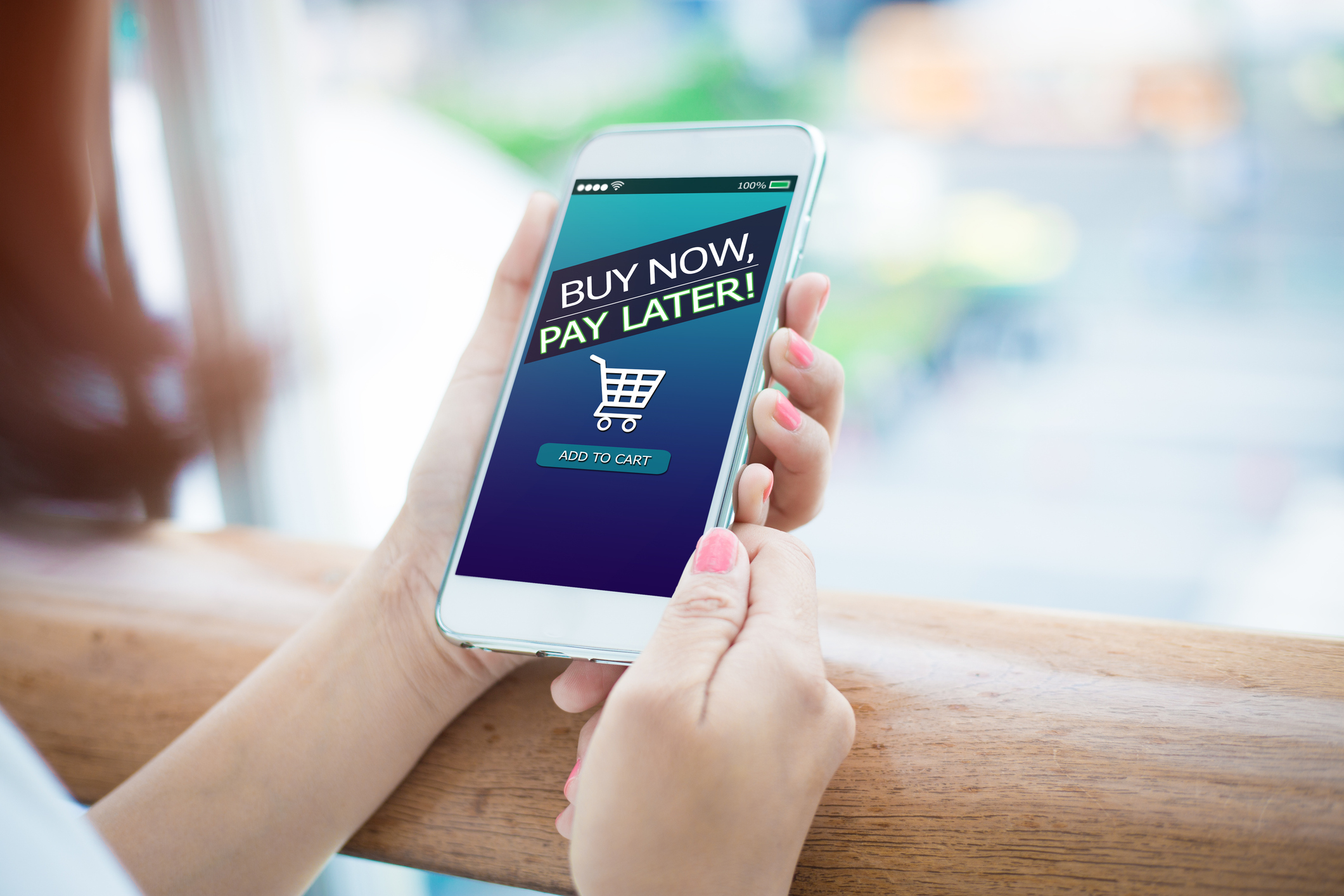
Buy Now Pay Later can make higher-value purchases feel more manageable by allowing eligible customers to spread or defer payment.
However, it is not automatically suitable for every retailer. Businesses need to consider fees, refund processes, customer suitability and how the option is presented.
A large number of payment choices can also create confusion. The checkout should prioritise the methods customers are most likely to use and display them in a clear order.
How Does Security Affect Basket Abandonment?
Customers need to feel that entering payment details is safe.
Even when a payment page is technically secure, poor presentation can create doubt. An outdated design, spelling errors, inconsistent branding or an unexpected redirect can make shoppers question whether they are still dealing with the same business.
A secure payment gateway can support trust through:
- Protected transmission of payment information
- Recognisable card and wallet options
- Clear customer authentication
- Consistent website branding
- Secure browser connections
- Sensible fraud controls
- Reliable confirmation messages
The checkout should provide enough reassurance without overwhelming the customer with technical language.
Simple signals can be effective. The business name should be clear, costs should be transparent and the customer should understand what will happen after payment.
Trust also depends on the wider website. A secure gateway cannot compensate fully for missing contact details, unclear delivery information or a poor returns policy.
Should Customers Stay on the Retailer’s Website?
Some payment gateways allow the payment form to appear within the retailer’s checkout. Others send the customer to a hosted payment page before returning them to the website.
Both approaches can be secure and effective when implemented properly.
An integrated payment form can create a more seamless brand experience. The customer feels that they remain within one continuous checkout journey.
A hosted payment page can reduce the amount of sensitive payment handling carried out directly by the retailer’s own website. However, the transition needs to be clear and professional.
A redirect may increase abandonment when:
- The new page looks unrelated to the retailer
- The customer is not told that a redirect will happen
- The payment page opens slowly
- The mobile layout is poor
- The customer cannot easily return to the basket
- The page displays an unfamiliar business name
- The payment result is not passed back correctly
The most important factor is consistency. Customers should always understand where they are, who is processing the payment and what they need to do next.
How Can Better Error Messages Save a Sale?
Payment errors are unavoidable. Customers mistype card information, enter expired cards or have payments declined by their bank.
The way the checkout responds can determine whether the customer tries again or leaves.
An unhelpful message such as “Payment failed” provides little direction. The customer may assume the website is broken.
A more useful message might explain that:
- The card information should be checked
- The billing address may not match
- The customer can try another payment method
- The bank may have declined the payment
- Customer support is available if the issue continues
Businesses should be careful not to reveal sensitive fraud detection details. However, the message can still provide a practical next step.
The customer’s basket should also be preserved after a failed payment. Forcing someone to find the products and complete every field again creates unnecessary frustration.
How Does Customer Authentication Affect Checkout?
Some online payments require additional customer authentication.
The customer may need to confirm the transaction through a banking app, one-time passcode or another verification method. This helps reduce fraudulent use of card details, but it also adds a stage to the checkout.
A well-integrated payment gateway can make this process smoother by:
- Explaining that verification may be required
- Displaying authentication prompts correctly
- Working across different screen sizes
- Returning the customer to the correct checkout page
- Preserving the basket if authentication is interrupted
- Confirming clearly whether payment was successful
Problems occur when the authentication window fails to load, the customer loses their place or the website does not recognise the completed verification.
Businesses should test the full journey rather than assuming the payment provider’s setup is working correctly.
Can Fraud Prevention Increase Abandonment?
Fraud controls are essential, but overly aggressive settings can block genuine customers.
A payment gateway or fraud prevention system may assess factors such as transaction value, customer location, card information, device behaviour and previous activity.
These checks can help identify suspicious payments. However, legitimate orders may be declined when the rules are too restrictive or poorly suited to the business.
For example, an online retailer may regularly receive orders where:
- The billing and delivery addresses differ
- Customers purchase gifts for other people
- Orders are placed while travelling
- International cards are used
- Several purchases are made in quick succession
These situations are not automatically fraudulent.
Businesses should review declined transaction patterns and chargeback activity with their payment provider. The aim is to achieve a sensible balance between preventing fraud and allowing genuine customers to complete purchases.
How Can Businesses Make Checkout More Transparent?
Unexpected information at the payment stage is a major source of abandonment.
Customers should know the total cost before they are asked to pay. This includes:
- Product prices
- Delivery charges
- Taxes where applicable
- Discounts
- Subscription terms
- Recurring payment details
- Any additional service charges
The gateway should receive the correct final amount from the ecommerce platform. If the total changes unexpectedly or the amount shown on the payment page differs from the basket, customers may lose confidence.
The business name that appears on payment statements should also be recognisable. An unfamiliar legal or parent company name can lead to confusion, disputes and chargebacks.
Where possible, explain how the transaction will appear on the customer’s statement.
What Happens After the Payment?
A successful authorisation is not the end of the checkout journey.
The customer needs immediate confirmation that the order has been received. Without this, they may refresh the page, submit another payment or contact the business unnecessarily.
A good post-payment experience should include:
- A clear success message
- An order or reference number
- An accurate order summary
- Confirmation of the delivery address
- Information about what happens next
- A receipt or confirmation email
- Contact details for questions
The gateway and ecommerce platform need to communicate correctly. The website should not display a failed order when payment has actually been taken, or confirm an order when authorisation was unsuccessful.
These mismatches create customer frustration and additional administration for the business.
What Should Businesses Look for in a Payment Gateway?
Choosing a gateway based only on transaction price can be a mistake.
The cheapest service may not provide the most reliable or conversion-friendly checkout.
Businesses should assess:
Payment method support
Check whether the gateway supports the cards, digital wallets and other methods your customers are likely to use.
Ecommerce compatibility
The gateway should work properly with the ecommerce platform and any relevant plugins, subscriptions or stock management systems.
Mobile performance
Test the checkout on several phone screen sizes and browsers. Do not rely only on a desktop preview.
Security
Ask how payment information is protected and what support is provided for security requirements.
Reliability
Frequent downtime or failed authorisations can result in lost sales. Look at how the provider handles service issues and communicates outages.
Reporting
The business should be able to review payments, refunds, failed transactions and settlement information without unnecessary difficulty.
Support
Responsive technical support matters when the checkout stops working. Find out when support is available and how urgent issues are handled.
Pricing transparency
Understand transaction fees, monthly charges, refund fees, chargeback costs and any minimum commitments.
Scalability
The gateway should be able to support changes such as increased order volumes, new payment methods or expansion into additional sales channels.
Gorilla Pay provides payment services for businesses looking for clearer, more flexible ways to accept customer payments.
How Should Businesses Test Their Checkout?
A checkout should be tested from the customer’s perspective, not only from the website administrator’s dashboard.
Businesses should complete test purchases using:
- Desktop computers
- Smartphones
- Tablets where relevant
- Different browsers
- Different payment methods
- Correct and incorrect payment details
- Discount codes
- Guest checkout
- Customer accounts
- Different delivery options
Pay particular attention to what happens when:
- A card is declined
- Authentication is cancelled
- The customer presses the back button
- The internet connection is interrupted
- A payment button is pressed twice
- The basket contents change
- A customer returns after leaving the checkout
Testing should also continue after website, plugin or gateway updates. A checkout that worked six months ago may be affected by later technical changes.
How Can Businesses Measure Checkout Performance?
Businesses need evidence to understand where customers are leaving.
Useful measurements include:
- Basket-to-checkout rate
- Checkout completion rate
- Payment failure rate
- Conversion rate by device
- Conversion rate by payment method
- Number of declined transactions
- Time taken to complete checkout
- Support enquiries about payment problems
A high basket abandonment rate does not automatically mean the gateway is responsible. The issue may begin earlier with delivery prices, account creation or unclear returns information.
Breaking the journey into stages helps identify the likely problem.
For example:
- Customers leaving before entering delivery details may be reacting to the checkout structure.
- Customers leaving after delivery options appear may be reacting to charges or timings.
- Customers leaving at payment selection may want another payment method.
- Customers failing after submission may indicate gateway, authentication or card decline issues.
Businesses should combine analytics with customer feedback. A small number of direct comments can reveal problems that are difficult to identify from numerical data alone.
Frequently Asked Questions
Can changing payment gateways improve conversion rates?
It can, particularly when the existing gateway is slow, unreliable, difficult to use on mobile devices or missing popular payment options. Results depend on the wider checkout experience as well as the gateway itself.
Does offering more payment methods always reduce abandonment?
Not necessarily. Relevant payment choices can help, but too many options may make checkout confusing. Prioritise methods your customers are likely to recognise and use.
Should an online shop allow guest checkout?
Guest checkout can reduce friction for first-time or occasional customers who do not want to create an account. Businesses can still offer account creation after the purchase has been completed.
Why are customers’ cards declined online?
Payments may be declined because of incorrect details, insufficient funds, bank security controls, expired cards or suspected fraud. The retailer may not always receive a detailed reason.
Can a slow payment page affect sales?
Yes. Customers may leave when a payment page takes too long to load or appears to have stopped responding, especially when shopping through a mobile connection.
Should the basket be saved after a failed payment?
Yes, wherever possible. Preserving the products and customer information makes it easier for the shopper to correct the issue or try another payment method.
Reducing Abandoned Baskets Through Better Payments
Payment gateways help reduce abandoned baskets by removing obstacles at the point where the customer is ready to complete the purchase.
A good gateway should be fast, secure, reliable and easy to use across devices. It should support suitable payment methods, communicate errors clearly and return the customer to an accurate order confirmation page.
The strongest results come from treating the gateway as part of the complete checkout journey.
Transparent pricing, clear delivery information, guest checkout, mobile-friendly forms, sensible fraud controls and useful payment options all work together. Fixing one element while ignoring the others is unlikely to produce the best outcome.
Small online retailers should regularly test their checkout, review failed transaction data and listen to customer feedback. Even small improvements, such as adding a digital wallet or simplifying an error message, can help more customers complete their purchases.
To discuss a payment gateway that supports a smoother and more flexible customer checkout experience, explore Gorilla Pay’s payment services or contact the team.
Phone: 02392 253322
Email: gorillas@gorillapay.co.uk
Find out more: https://gorillapay.co.uk